




How to Digitise Historical Archives Without Losing Vital Information.
The UK holds some of the richest documentary heritage in the world, yet much of it remains locked in fragile paper, parchment and microfilm. A recent pan‑European analysis revealed that only 22 % of heritage collections have made the leap to digital so far, even though 82 % of institutions have begun digitisation activities. Closer to home, nearly two‑thirds (65 %) of UK archive services still lack a dedicated digital‑preservation system – a critical gap when born‑digital records now arrive alongside centuries‑old ledgers.
Digitising historical archives isn’t just about scanning; it is about trust. Researchers, communities and future generations need cast‑iron assurance that the digital surrogate conveys every nuance of the original. In this guide we share the steps, standards and safeguards that ensure you capture the knowledge, not just the image.
Begin with a preservation‑first mindset
Digitisation is inherently interventionist – every fold, ink density and annotation influences capture settings. Start by:
- Assessing physical condition – fragile paper may need conservation before scanning.
- Establishing significance – appraisal frameworks (e.g., ISAD(G), DACS) help prioritise high‑value records.
- Defining retention & disposal – align with BS 10008 for legally admissible electronic information.
Plan before you scan: the blueprint of success
| Planning Element | Why it matters… | Best practice tools |
|---|---|---|
| Resolution & colour depth | Detail must support foreseeable research (e.g., handwriting analysis). | FADGI 4‑Star or Metamorfoze Light targets; 400 dpi minimum for text. |
| File format | Long‑term readability. | Master images in uncompressed TIFF; access derivatives in JPEG 2000 or PDF/A‑3. |
| Naming & structure | Prevents “digital chaos”. | BS 1192 naming schemes; hierarchical folders that mirror series > sub‑series > item. |
| Metadata schema | Preserves context. | PREMIS, Dublin Core, METS or Archives Space |
Make planning a multidisciplinary exercise. Archivists, conservators, IT and data‑protection officers each spot risks others miss.
Capture the image, preserve the context
A flawless scan is useless if it cannot be found or trusted.
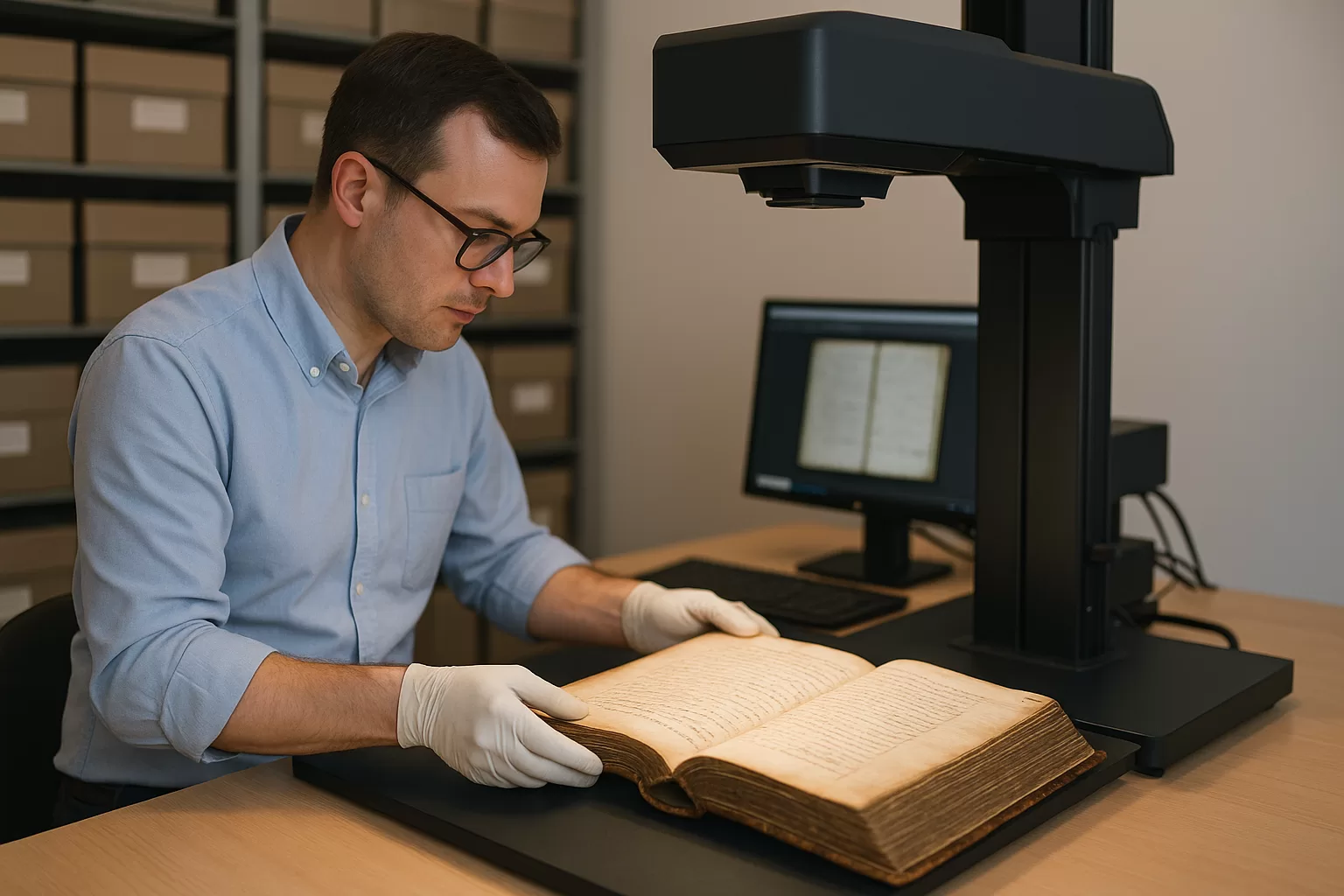
- Use production‑grade scanners with adjustable lighting to avoid UV damage.
- Calibrate daily using colour targets and densitometers.
- Embed technical metadata at source – scanner model, dpi, bit depth and ICC profile.
- Record contextual metadata alongside the scan, not in a separate spreadsheet that might be lost.
Remember that employees spend 20–30 % of their working day searching for information; quality indexing slashes that wasted time.
Prioritise metadata and indexing
Metadata is the difference between a searchable gold‑mine and a digital attic.
- Descriptive – title, creator, date, abstract.
- Administrative – rights, donor restrictions, GDPR basis.
- Structural – page‑to‑page relationships; links to transcriptions or audio.
- Technical – capture device, checksum, compression.Metadata is the difference between a searchable gold‑mine and a digital attic.
Automated OCR/HTR (handwritten‑text recognition) can pre‑populate fields, but manual validation remains essential for 19th‑century copperplate.
Avoid common pitfalls
| Pitfall | Consequence | Fix |
|---|---|---|
| Under‑sampling (low dpi) | Loss of marginalia, watermarks or annotations. | Follow FADGI or Metamorfoze specs for item type. |
| Over‑compressed JPEGs | Artefacts that obscure detail. | Keep lossless masters. |
| Inconsistent filenames | Broken links in catalogues. | Enforce controlled vocabularies. |
| Metadata in silos | Disconnection from images. | Store metadata in the same digital object package. |
Build quality control into every phase
Metadata is the difference between a searchable gold‑mine and a digital attic.
- Image review – 100 % visual inspection for critical collections; statistical sampling (e.g., ISO 2859‑1) for bulk scanning.
- Checksum validation – generate SHA‑256 hashes on ingest and at every migration.
- User acceptance testing – historians and community researchers test discovery; their feedback feeds enhancements.
Store and preserve for the long term
Digitising historical archives need active stewardship:
- Redundancy – at least 3 geographically separate copies, 2 on diverse media (3‑2‑1 rule).
- Preservation repository – Compliant systems such as Therefore.
- Format migration road‑map – monitor obsolescence signals; schedule audits.
Physical storage costs about 2.8 × more than digital cloud storage per document. The financial case for preservation has never been clearer.
Make collections discoverable and open
Digitisation only realises its social value when people can find and re‑use the material.
- Expose metadata to search engines via schema.org or OAI‑PMH.
- Adopt persistent identifiers (ARK, DOI) to support citation.
- Consider open licensing – more than 1,600 heritage institutions worldwide have released 95 million digital objects under open licences, with over 100 from the UK alone.
Measure impact & iterate
Track usage analytics, citation rates and community engagement to demonstrate value and secure future funding. Regularly revisit workflows against evolving standards such as ISO 16363 (trustworthy repositories).
Key takeaways
- Begin digitising historical archives with preservation goals, not technology.
- Embed robust metadata at the moment of capture.
- Follow recognised standards (BS 10008, OAIS).
- Fund ongoing preservation – digitisation is only the first step.
By following these principles, organisations can unlock historical archives for the digital scholar of today while safeguarding authenticity for the researcher of 2125.
DocR has helped museums, councils and private estates across the UK digitise millions of pages. If you’d like an informal chat about your project, we’re here to help.